⚡ How to Automate Your Daily Work Using AI Tools (2025 Guide)

In today’s digital age, if you’re still doing manual work—you’re wasting precious time! 😅
AI tools can now automatically handle your boring daily tasks—whether it’s email, video editing, or social media posting.
In this blog, we’ll learn how you can automate your daily life and work with AI—without coding!

🤖 What is AI Automation?

The simple meaning of automation is –

“Let the machine do its repetitive work.”

For example:

  • You need to write emails every day—AI will write them.
  • You need to do data entry—AI will handle it.
  • You need to schedule content—AI tools will do it automatically.

The goal of AI automation is to save you time and increase productivity ⚡

💡 Benefits of Automating Your Work with AI

  1. Time Saving: Repetitive work is done in minutes.
  2. Better Accuracy: AI minimizes errors.
  3. 24×7 Working: AI never gets tired 😄
  4. Higher Productivity: You can focus on creative tasks.
  5. Cost Effective: The perfect solution for freelancers and small businesses.

🔧 Best AI Tools to Automate Your Daily Work

Here are some of the top AI tools that will automate your daily workflow 👇

  • Use: Connect different apps automatically (e.g., Gmail + Google Sheets + Notion).
  • Example: Whenever a new email arrives, Zapier will automatically save its data in Google Sheet.
  • Link: zapier.com
  • Use: Smart task manager with AI automation.
  • Example: On writing “Plan my week” AI will automatically generate to-do list.
  • Link: taskade.com
  • Use: Email writing, idea generation, and workflow planning.
  • Example: “Write a follow-up email for meeting” → AI will write instantly.
  • Use it to: Automate phone and social tasks.
  • Example: When you post a new photo on Instagram, it auto-saves to Google Drive.
  • Link: Iftt.com
  • Use: For notes, planning, and documentation.
  • Example: Type “Summarize my notes” — AI summary ready!
  • Use: Design automation — posters, reels, thumbnails.
  • Example: type “make YouTube thumbnail for TechDustbin,” and canva will create one instantly.
  • Use: Auto formula suggestions, data cleaning, report generation.
  • Example: “Show top 5 sales by month” → AI will create the chart!

🧩 Real-Life Examples of AI Automation​

  1. Students: Notes summarization, email reminders, assignment writing.
  2. YouTubers: Script + Thumbnail + Hashtag generation (auto).
  3. Business Owners: Invoice generation, customer reply automation.
  4. Freelancers: Proposal writing & portfolio updates auto-generate.
  5. Social Media Creators: Auto-scheduling posts via Buffer or Zapier.

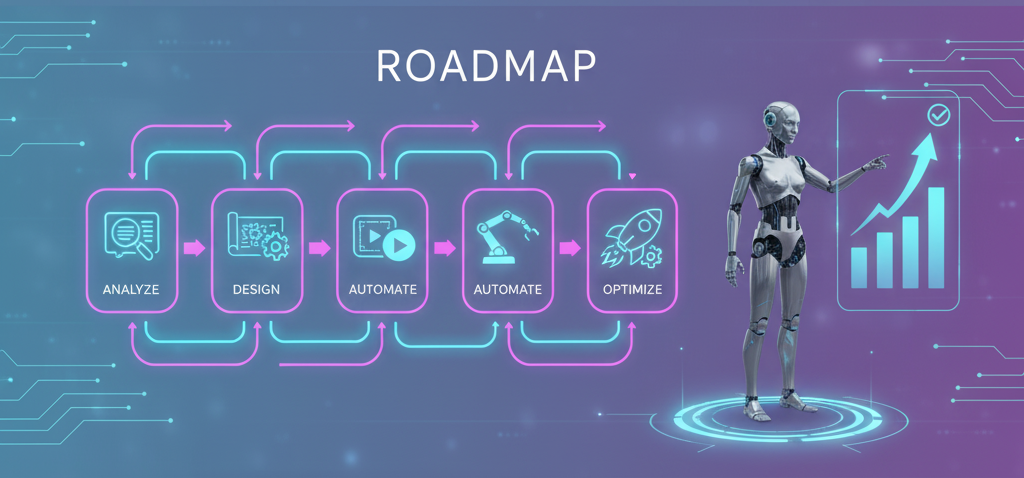
🧠 How to Start AI Automation Step-by-Step

  • Identify Repetitive Tasks: List down which tasks are repeated.
  • Choose Right Tools: Use Zapier, Taskade, or Notion AI.
  • Set Automation Rules: e.g., “If new email → Save in Notion.”
  • Test & Improve: Check if automation is working properly.
  • Scale It Up: Connect multiple automations together (multi-step workflows).

💼 Bonus Tip for Content Creators

If you are a content creator like Tech Dustbin 🎥

So do this combo to him:

  • ChatGPT: For writing scripts
  • Canva AI: For creating thumbnails
  • Pika Labs / Runway ML: For generating videos
  • Zapier: For auto-uploading or sharing

Result? 🔥

A fully automated YouTube + Blog setup without much manual work!

🌟 Final Thoughts

AI automation is no longer a luxury, it’s now a necessity.
Those who use AI smartly are achieving double productivity.
In 2025, if you automate with AI—you’ll be one step ahead of your competitors.

So start small, automate smartly, and become future-ready 🚀

💬 Stay tuned with Tech Dustbin — “It’s Time to Connect the World!” 🌍

Leave a Comment